Digital native · 2014–present · North America, Global / networked
Material Design
Also known as Material, Material You, Material 3
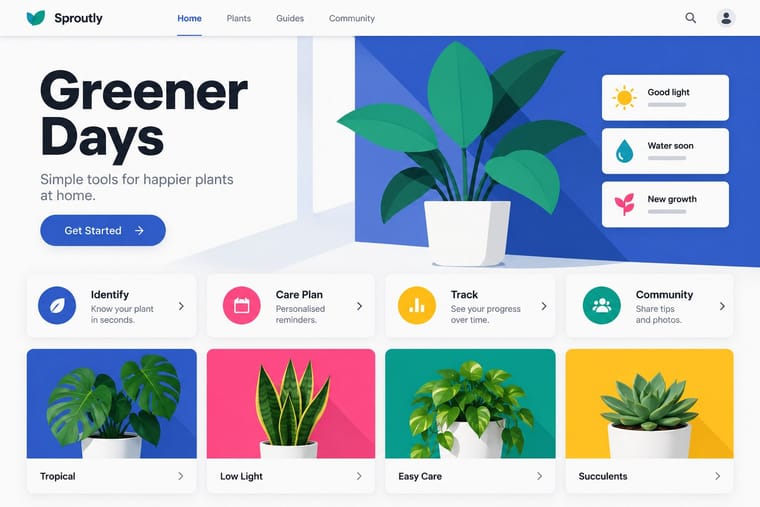
Google's design system, launched in 2014, which reintroduced controlled depth to flat design through the metaphor of 'material': sheets of digital paper and ink that sit at defined elevations, cast consistent shadows and move with meaningful motion. Built on an 8dp grid, Roboto and a bold primary-and-accent colour scheme, it later evolved into the personalised, tonal Material You (2021).
Make something in this styleGet advice in this styleMix it with another style
01
How it works
- Treat every element as a sheet of material at a defined elevation and express that elevation with consistent, light-source-based shadows.
- Snap components, spacing and type to an 8dp baseline grid inside a responsive column layout.
- Pick a primary and an accent colour (or derive tonal palettes from one seed colour) and use them to mark hierarchy and action.
- Choreograph motion so surfaces expand, slide and transform in ways that show where content comes from.
- Mark the single most important action on a screen with a prominent floating action button.
- Build hierarchy from a modular type scale in Roboto, using size and weight rather than ornament.
Google, Mountain View, California
02
Its design choices
From Stylogeny’s vocabulary of design choices: defining choices make the style, characteristic ones are usual, occasional ones turn up now and then.
- Layout & composition
- Space & hierarchy
- Typography
- Colour
- Form & shape
- Surface & texture
- Ornament
- Imagery
- Medium & production
- Tone & intent
- Avoids
- Skeuomorphic material, Gloss & highlights, Grain & noise, Photocopy & distress, Abundant decoration, Ornamented display, Experimental & distorted, Collage & layering
Palette
#3f51b5#ff4081#009688#ffc107#fafafa#212121
Typefaces
Roboto
Google Sans
Product Sans
Roboto Flex
Noto
Known for
Google Material Design guidelines
announced at Google I/O, 2014
Matías Duarte
Google VP of Design
Android 5.0 Lollipop
2014
Material You / Material 3
Android 12, 2021
Christian Robertson, Roboto typeface
2011
Material Icons and Material Symbols
03
Make something in this style
Say what you need, and Stylogeny’s image studio draws it from Material Design’s design choices and checks it against them. It takes about a minute, and you get a link to share.
04
Where it comes from, and what it’s close to
Before it
The style it grew out of, and the styles it borrowed from.


After it
The styles that grew out of it.
No later style in the atlas grew out of it yet.
Alike in its design choices
Styles that make many of the same choices, related or not, besides those above.


05
Real works
Artefacts in museums, libraries and archives that show the style, linked at their source.
- Material Design guidelines: Introduction (google.com/design/spec)Google (Material Design team led by Matías Duarte) · June 2014 (archived 26 June 2014, the day after its announcement at Google I/O) · Internet Archive Wayback Machine
- Material Design: Design (material.io/design), Material Theming eraGoogle · 2018 site (Material Theming, launched May 2018), archived 2 January 2019 · Internet Archive Wayback Machine
- Material Design 3: 'Introducing Material You' (m3.material.io)Google · October 2021 (archived 27 October 2021; Material You announced May 2021) · Internet Archive Wayback Machine
- Material 3 Design Kit: 'Material You in light mode' component screenGoogle (Material Design team) · 2021–2023 (kit published on Figma Community in 2021; this export uploaded 2 April 2023) · Wikimedia Commons (export from Google's Material 3 Design Kit, Figma Community file 1035203688168086460)

06
Sources
- Google, Material Design guidelines (material.io; m3.material.io)
- Wikipedia, 'Material Design' (en.wikipedia.org/wiki/Material_Design)
How Stylogeny researches and checks a style: where the facts come from.